
Mobile Push Notifications
Church Social provides notifications using email or mobile push notifications. Mobile notifications are lighter weight, more immediate, and bring you straight into the app when you tap them. And when something isn't important, they're just as easy to swipe away and move on.
To receive push notifications, members will need to update to version 2.0.0 or newer of the Church Social iOS or Android app (Released in April 2026). You can install the mobile app from the Apple App Store or Google Play Store which you can access using the following link: https://churchsocial.com/mobile-apps
If you have the native iOS or Android app and notifications are enabled you will receive Church Social app notifications for the following:
- New messages
- Message replies
- New bulletins
Of these, message replies are especially exciting. Historically, replies could be easy to miss, since we only sent email notifications to the original sender in order to avoid flooding everyone's inbox. With push notifications, replies are much more visible, making it easier for conversations to actually continue instead of quietly getting lost.
To enable push notifications on your device go to More → My Account → Notifications. On that screen, there is a Push notifications section that shows whether push notifications are Enabled. If the push notifications are listed as Disabled on this device just tap on the button which takes you directly to your device settings to enable notifications on your device.

Members are able to reply to messages directly from the iOS and Android apps. Combined with push notifications for replies, this makes discussions in Church Social feel much more natural and much easier to follow. Note that email notifications are sent for original messages but not for message replies in order that Church Social does not clutter people's email inboxes.
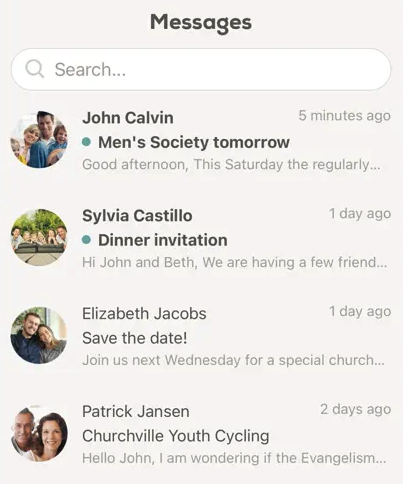
If a member disables email notifications for Church Social messages this will turn on the Message read/unread feature so that users can visually see whether they have read a message or not.
Once Church Social detects that an individual has received 5 push notifications, we will send them an email notifying them that we have disabled emails for them as they will continue to receive push notifications. If they prefer to continue receiving email notifications, the instructions are included to change the setting.